AI Chat Management
Pin & Organize Your AI Chats on ChatGPT, Claude, Gemini, DeepSeek and Grok

Features
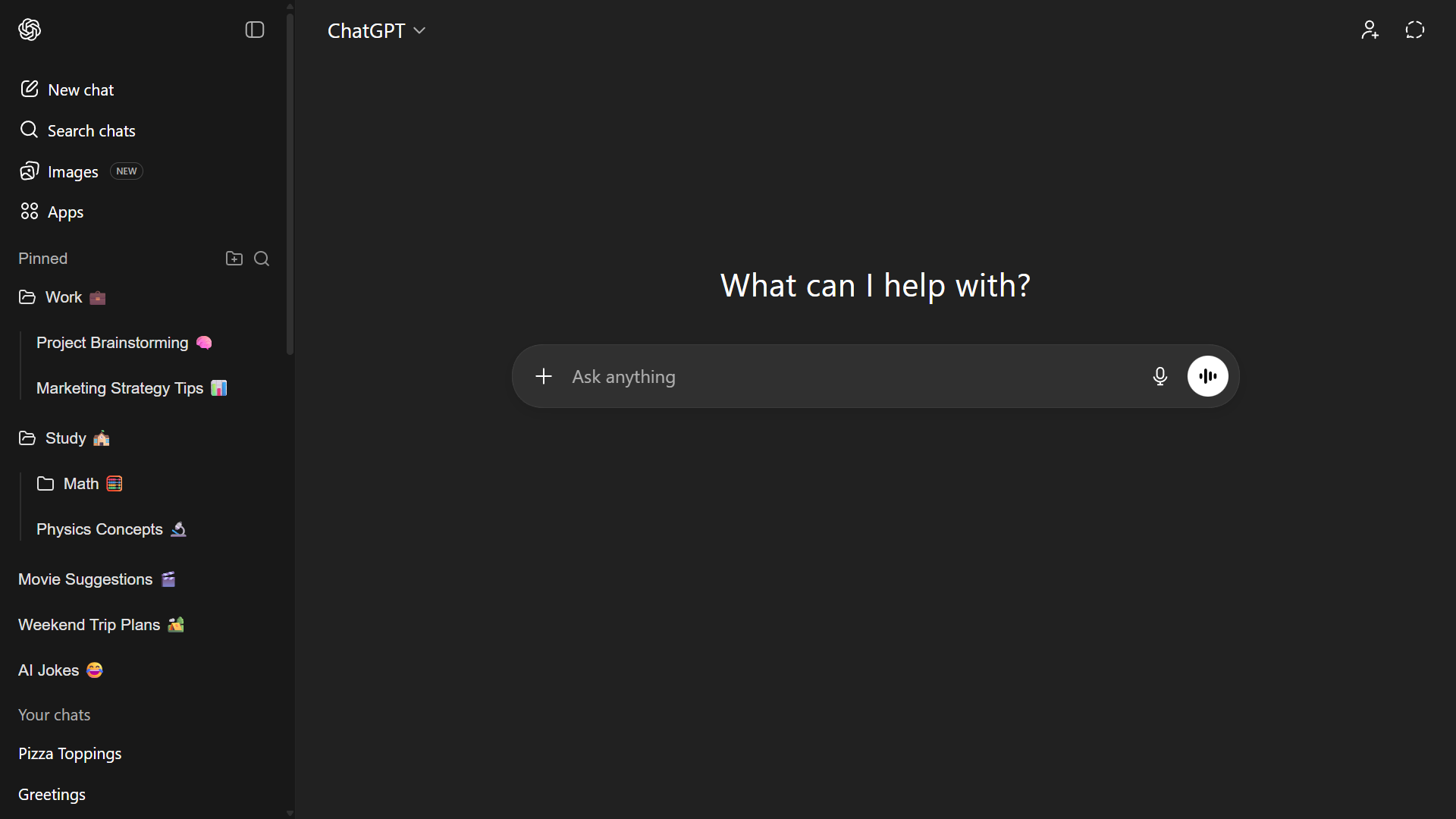
Pin Unlimited Chats
Never lose an important chat again, pin them with one click!
Organize with Folders
Sort your chats like a pro - keep things neat and tidy!
Group with Tags
Label your chats with personalized, colorful tags. Find exactly what you need in seconds by searching or filtering by tag name!
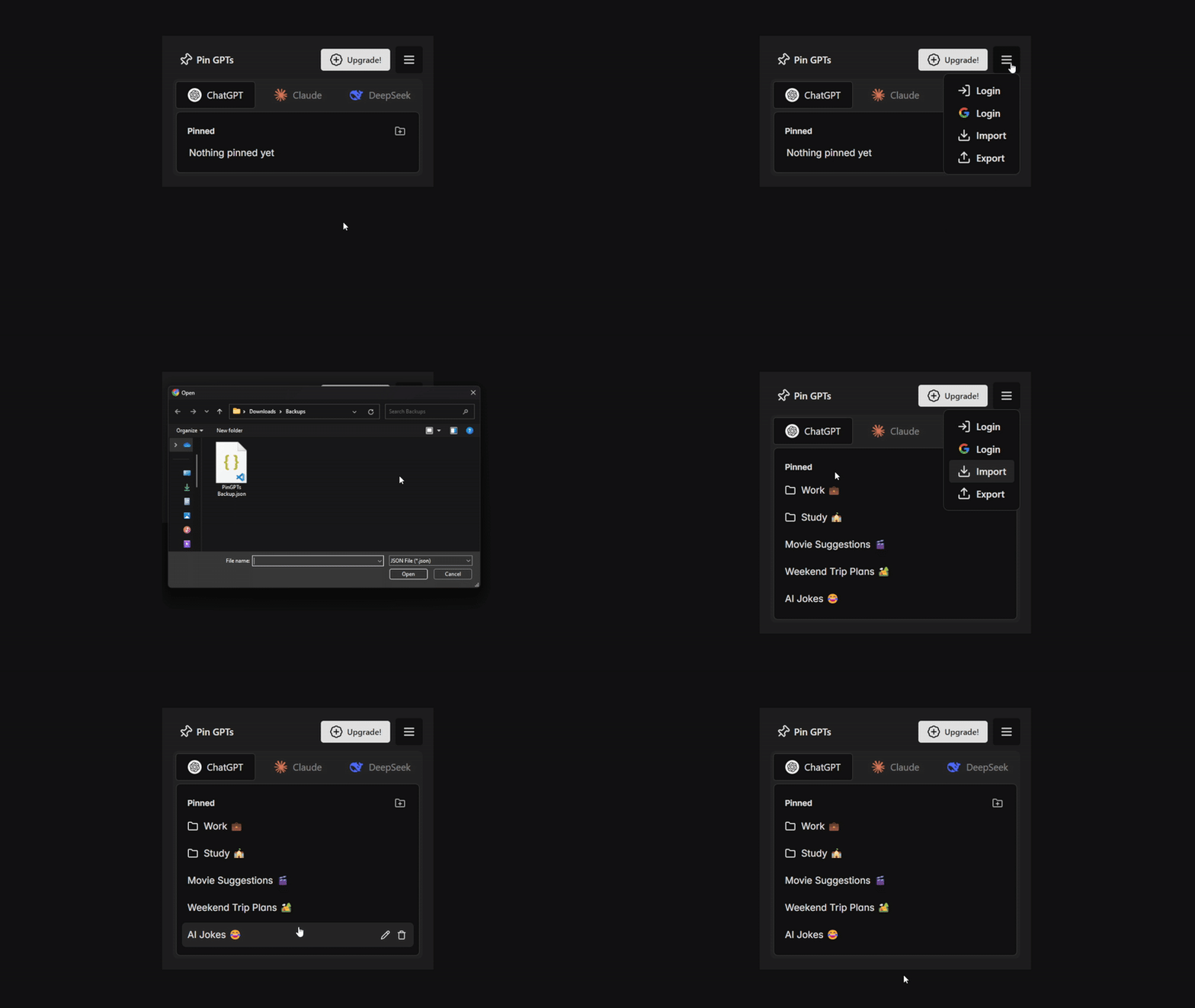
Backup & Sync
Backup your data to a file locally or auto sync across browsers using your Google Drive account.

Native Sidebar
Blends right in and feels like part of the website. No ugly floating elements!
Pricing
Free
$0 billed never
- Unlimited Pins
- ChatGPT, Claude, Gemini, DeepSeek, Grok support
- Integrated Sidebar
- Manual File Backup
- Unlimited Tags NEW
- Create 5 Folders
- Auto Google Drive Backup
- Motivates me ❤️
Plus
$1.66/month billed $20 per year
- Unlimited Pins
- ChatGPT, Claude, Gemini, DeepSeek, Grok support
- Integrated Sidebar
- Manual File Backup
- Unlimited Tags NEW
- Create Unlimited Folders
- Auto Google Drive Backup
- Supports Development 💖
Lifetime
$50 billed once per life
- Unlimited Pins
- ChatGPT, Claude, Gemini, DeepSeek, Grok support
- Integrated Sidebar
- Manual File Backup
- Unlimited Tags NEW
- Create Unlimited Folders
- Auto Google Drive Backup
- Supports Development 💖
Install the Extension to get started!
FAQs
Have a question? We have answers.
🛠 What is Pin GPTs?
Pin GPTs is a browser extension that lets you pin and organize your chats from ChatGPT, Claude, Gemini, DeepSeek and Grok. It integrates a sidebar for quick access and keeps your pinned conversations synced across devices.
💰 Is Pin GPTs free?
Yes! The free version includes all core features, but you can only create up to 5 folders. If you need unlimited folders, you can upgrade to the Plus plan.
🚀 How do I install Pin GPTs?
Click the download button for your browser on top of this page. Once installed, pin the extension to your toolbar for easy access.
📌 How do I pin a chat?
Go to ChatGPT, Claude, Gemini, DeepSeek or Grok website -> Open the chat you want to pin -> A pin button will appear in the injected 'pinned' section of the sidebar -> Click the button to pin your chat!
🏷️ Can I use tags to organize my chats?
Absolutely! You can create custom tags with different colors to categorize your pinned chats. You can then quickly search and filter your chats by tag name directly inside the sidebar.
🎁 What's included in the Plus plan?
The Plus plan unlocks unlimited folders and helps support the extension's development.
💳 How do I upgrade to Plus?
Click the 'Get Plus' button inside the extension. Payments are securely processed via LemonSqueezy, and you can cancel anytime.
🔐 Does Pin GPTs store my chat data?
Nope! Pin GPTs does not store or access your chat content. Your pinned chats are stored locally in your browser and are not sent to any servers.
📂 Can I back up and restore my pinned chats?
Yes! You can export your pinned chats and folders and import them later if you switch devices or reinstall the extension.
🖥️ What browsers are supported?
Pin GPTs works on Google Chrome, Firefox, Opera, Edge and any other chrome-based browser. Support for Safari is coming in the future.
🤔 I have a problem. How do I get support?
You can reach out via the contact form below, or send an email to support@pingpts.com